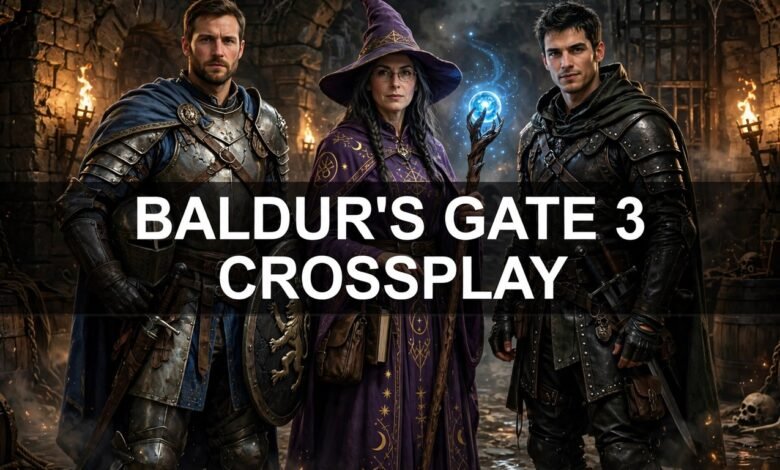
Yes, Baldur’s Gate 3 crossplay is supported. Players on PC, Mac, PlayStation 5 and Xbox Series X and S can play together in the same multiplayer campaign, so your choice of platform does not have to split your party. In this guide, we explain how Baldur’s Gate 3 crossplay works, how it differs from cross-save, how to set up a game with friends on other platforms, and the limits and problems you should know about before you start.
What Is Baldur’s Gate 3 Crossplay?
Crossplay, also called cross-platform play, means players on different devices can join the same game. In Baldur’s Gate 3 crossplay, that means a friend on a PlayStation 5 can join a campaign hosted by someone on a PC, and an Xbox player can adventure alongside a Mac player.
Baldur’s Gate 3 is a role-playing game by Larian Studios, based on Dungeons and Dragons. The main campaign supports up to four players in multiplayer, with each player controlling their own character. Baldur’s Gate 3 crossplay simply removes the platform barrier between those four players.
This matters because Baldur’s Gate 3 is a long game. A full campaign can take dozens of hours, and Baldur’s Gate 3 crossplay works best when the same group plays together regularly. Without crossplay, everyone would need to own the game on the same platform. With it, each player can use the device they already own.
Crossplay vs Single-Player
Baldur’s Gate 3 crossplay changes nothing about the story itself. The campaign, the characters, the choices and the world are the same whether you play alone or with friends. The difference is who sits at the table with you.
In multiplayer, each player controls one character in the party. You explore together, fight together, and make dialogue choices together, which can lead to very different outcomes than a solo run. It is the closest thing to a real tabletop Dungeons and Dragons session that a video game offers.
Which Platforms Can Play Together?
Baldur’s Gate 3 is available on PC, Mac, PlayStation 5, and Xbox Series X and S. Baldur’s Gate 3 crossplay connects all of these platforms.
| Platform | Can Join Crossplay? | Notes |
|---|---|---|
| PC (Steam, GOG) | Yes | Full multiplayer support |
| Mac | Yes | Plays with PC and consoles |
| PlayStation 5 | Yes | Plays with PC, Mac and Xbox |
| Xbox Series X and S | Yes | Plays with PC, Mac and PlayStation |
There is no platform combination that is excluded. With Baldur’s Gate 3 crossplay, a party can mix all four platforms at once if you have four players on four different devices.
One thing to keep in mind is that everyone in the party needs to be running the same version of the game for Baldur’s Gate 3 crossplay to work. If one player has not installed the latest update, they may not be able to join until they do. Before your first session, make sure the whole group has updated the game.
Is There Crossplay Between PC Stores?
Yes. Baldur’s Gate 3 crossplay works between PC stores too. PC players can play together whether they bought the game on Steam or on GOG. The store you bought it from does not matter. What matters is that you are all on the same version and connected through the game’s multiplayer system.
Crossplay vs Cross-Save: What Is the Difference?
Crossplay and cross-save sound similar, but they do two different things. It helps to understand both before you set up your game.
Baldur’s Gate 3 crossplay means playing together live, at the same time, on different platforms. You are in the same session, in the same world, fighting the same battles.
Cross-save means taking your saved game from one platform and continuing it on another. For example, you might play on your PC during the week, then continue the same campaign on your PlayStation 5 at the weekend.
Baldur’s Gate 3 supports both. Baldur’s Gate 3 crossplay lets your group play together across platforms. Cross-save lets you move your own progress between your own devices.
How Cross-Saves Work
Cross-save in Baldur’s Gate 3 works through a Larian account. You create a free Larian account, link it in the game on each platform, and turn on cross-save in the options. Your saves are then uploaded to Larian’s servers and can be downloaded on another platform.
A few practical points about cross-save:
- You need a Larian account. Cross-save does not work through Steam Cloud or PlayStation Plus alone. The Larian account is the link between your devices.
- Only some saves are shared. The game keeps a limited number of cross-save slots, so your most recent saves are the ones that travel with you. Older saves may stay on the device where you made them.
- It takes a moment to sync. When you load a save on a new platform, give the game time to download it. If you rush, you may load an older version of the save by mistake.
- It is for your own progress. Cross-save moves your saves between your devices. It does not let another player take over your character in their game.
If you only ever play on one platform, you do not need cross-save at all. It only matters if you switch devices.
How to Play Baldur’s Gate 3 Crossplay With Friends
Setting up a Baldur’s Gate 3 crossplay session is straightforward. The host creates the game, and the other players join it. Here is how it works in practice.
Step 1: Everyone Updates the Game
Before you start, every player should update Baldur’s Gate 3 to the latest version on their platform. A version mismatch is one of the most common reasons a player cannot join Baldur’s Gate 3 crossplay. Check for updates on Steam, GOG, PlayStation or Xbox before your session.
Step 2: The Host Creates a Multiplayer Game
One player hosts the campaign. From the main menu, choose multiplayer, then create a new game or load an existing campaign. The host’s game is the one everyone joins, so the host should be the player with the most reliable internet connection.
When you create the game, you can set it to invite-only or open it to friends. For a private group, invite-only or friends-only is the sensible choice. That way random players cannot drop into your campaign.
Step 3: Friends Join From Their Platform
The other players open the multiplayer menu on their own platform and join the host’s Baldur’s Gate 3 crossplay game. Depending on the platform, you may join through the in-game lobby, through a friend invite, or through a direct connection code.
The simplest method is usually a friend invite. The host sends an invite, the friend accepts it, and the game loads them into the party. If invites are not working, check that everyone is online and that the host’s game is set to allow friends to join.
Step 4: Create Your Characters
Each player creates their own character, or takes control of an existing companion. In a fresh campaign, everyone makes a character at the start. In an existing campaign, a joining player can take over a character that is already in the party.
Character creation is a big part of the fun. Take your time with it, especially if it is your first time playing. Your class, race and background shape how your character plays and how the world reacts to you.
Step 5: Play Together
Once everyone is in, Baldur’s Gate 3 crossplay lets you play the campaign together. You explore the world as a group, talk to characters, and fight in turn-based combat. Players can split up to explore different areas, but the game works best when the party sticks together for the big moments.
Save regularly. The host’s game holds the campaign save, so the host should save often, especially before a tough fight or a major story choice.
How Multiplayer Sessions Work in Practice
Baldur’s Gate 3 crossplay is not just a technical feature. It changes how the game feels. Here are the practical details worth knowing.
Who Controls What?
Each player controls their own character in combat and exploration. During conversations, the player who starts the dialogue usually leads it, but other players can listen in and sometimes influence the outcome. The group can discuss choices before committing to them, which is half the fun.
What Happens When Someone Leaves?
If a player disconnects or has to leave early, their character stays in the party under the control of the host or another player. The campaign continues without them. They can rejoin later, as long as the host’s save is intact.
This is why the host matters. The campaign save lives with the host. If the host is away, the group cannot continue that campaign unless the host shares the save or someone else hosts a copy of it.
How Many Players Can Join?
A Baldur’s Gate 3 crossplay campaign supports up to four players. That is the full party size. If your group has more than four people, someone will have to sit out or you will need a second campaign.
Can You Play Split-Screen Too?
On consoles, Baldur’s Gate 3 also supports local split-screen play for two players on the same device. That is separate from Baldur’s Gate 3 crossplay. Split-screen is for two people in the same room on one console, while crossplay is for players on different devices, possibly in different places.
Limitations and Things to Know
Baldur’s Gate 3 crossplay works well, but it is not perfect. Here are the limits and quirks that catch players out.
Everyone Must Be on the Same Version
This is the most common problem. If the game has just been updated on one platform and not yet on another, players on the older version cannot join. The fix is simple: everyone updates before the session. It is worth checking this a few minutes before you plan to play, not after everyone is already waiting in the lobby.
Mods Can Complicate Multiplayer
Many PC players use mods, which change or add to the game. Mods can cause problems in Baldur’s Gate 3 crossplay. If the host is using mods, the other players usually need the same mods installed to join. Console players generally cannot use PC mods at all.
If your group wants a smooth cross-platform session, the safest approach is to play without mods, or to agree on the same small set of mods in advance. Mixing a heavily modded PC game with a console player’s unmodded game is likely to cause connection problems.
Internet Connection Matters
Baldur’s Gate 3 crossplay needs a stable internet connection, especially for the host. A weak or unstable connection can cause lag, dropped players and desync problems. If you are hosting, use a wired connection if you can. If you are joining, close other apps that use a lot of bandwidth.
Performance Varies by Platform
The game looks and runs a little differently on each platform. A high-end PC may load faster than a console, and a console may run at a different frame rate. In practice, this rarely causes problems during play, but you may notice that one player loads into a new area a few seconds before the others.
Voice Chat
Baldur’s Gate 3 crossplay does not have built-in voice chat for cross-platform parties. Most groups use a separate app for voice, such as Discord, PlayStation party chat or Xbox party chat. Agree on a voice app before your first session so nobody is left out of the conversation.
Common Crossplay Problems and Fixes
If crossplay is not working, the cause is usually simple. Work through these fixes in order.
“I Cannot See My Friend’s Game”
First, check that everyone is on the same version of the game. Then check that the host’s game is set to allow friends to join. If the game is set to invite-only, the host needs to send a direct invite. Restarting the game on both sides also fixes this problem more often than you would expect.
“I Get an Error When I Try to Join”
A join error often means a version mismatch or a mod conflict. Make sure everyone has updated, and try disabling mods on the host’s game. If the problem continues, the host can try creating a fresh lobby and inviting players one at a time.
“The Game Keeps Disconnecting”
This usually points to a connection problem. The host should check their internet connection and, if possible, switch to a wired connection. Players who keep dropping out should check their own connection and close background downloads or streams.
“My Cross-Save Is Not Showing Up”
If a save does not appear on another platform, check that you are signed into the same Larian account on both devices, and that cross-save is turned on in the options. Remember that only a limited number of saves sync, so the save you want may be an older one that did not sync. Load the game on the original platform, save again, and give it a moment to upload.
“My Friend on Another Platform Cannot Hear Me”
Baldur’s Gate 3 crossplay does not provide cross-platform voice chat, so this is expected. Use a separate voice app that works on all your platforms. Discord is the most common choice for mixed PC and console groups.
Tips for a Good Crossplay Campaign
A little planning makes a long campaign much smoother.
- Agree on a regular session time. A Baldur’s Gate 3 campaign takes many hours. A fixed weekly slot keeps the group together.
- Decide who hosts. The host holds the save, so pick someone reliable who will be there most sessions.
- Talk about big choices. Story decisions affect the whole party. A quick group discussion before a major choice avoids arguments later.
- Save before big fights. The host should save often, especially before boss fights and story moments.
- Keep everyone updated. If the game updates, tell the group so everyone updates before the next session.
- Be patient with new players. Baldur’s Gate 3 has a lot of systems to learn. Give new players time to read their abilities and explore.
- Test Baldur’s Gate 3 crossplay before your first full session. A quick test game confirms everyone can connect.
Frequently Asked Questions
Does Baldur’s Gate 3 have crossplay?
Yes. Baldur’s Gate 3 crossplay supports cross-platform multiplayer between PC, Mac, PlayStation 5 and Xbox Series X and S. Players on any of these platforms can join the same campaign together.
Can PS5 and Xbox players play Baldur’s Gate 3 together?
Yes. PlayStation 5 and Xbox Series X and S players can play together through Baldur’s Gate 3 crossplay. They can also play with PC and Mac players in the same party.
Can PC and PS5 players play Baldur’s Gate 3 together?
Yes. PC players can join games hosted by PlayStation 5 players, and PlayStation 5 players can join games hosted on PC. Both platforms need to be running the same version of the game.
What is the difference between crossplay and cross-save in Baldur’s Gate 3?
Baldur’s Gate 3 crossplay means playing together live on different platforms. Cross-save means moving your saved game between your own devices. Baldur’s Gate 3 supports both. Cross-save works through a Larian account, which you link in the game on each platform.
Do I need a Larian account for crossplay?
You need a Larian account for cross-save, which moves your saves between platforms. For Baldur’s Gate 3 crossplay itself, the main requirement is that everyone is on the same version of the game and can connect through the multiplayer menu. Setting up a Larian account is still a good idea, since it also enables cross-save.
How many players can play Baldur’s Gate 3 multiplayer?
Up to four players can play in one campaign. Each player controls their own character. On consoles, two players can also play together on the same device using split-screen.
Why can’t I join my friend’s Baldur’s Gate 3 game?
The most common reasons are a version mismatch, a mod conflict, or the host’s game being set to invite-only. Make sure everyone has updated the game, disable mods if the host is using them, and ask the host to send you a direct invite.
Does Baldur’s Gate 3 crossplay work with mods?
Mods can cause problems in crossplay. If the host uses mods, other players usually need the same mods to join. Console players generally cannot use PC mods. For a smooth cross-platform session, it is safest to play without mods or to agree on the same mods in advance.
Conclusion
Baldur’s Gate 3 crossplay does what players want it to do: it lets friends on PC, Mac, PlayStation 5 and Xbox play the same campaign together, no matter which device each person owns. The setup is simple, the only real requirements are that everyone is on the same version of the game and the host has a stable connection, and cross-save through a Larian account lets you carry your own progress between platforms too.
If you have been waiting for a friend to buy the game on your platform before you play together, you do not need to wait. Pick a host, agree on a session time, update the game, and start your campaign. The party is waiting.
Read Also: Athletic Works Men’s Core Active Short Sleeve Tee Shirt